
AI Chat Assistant - Gain AI
Chat AI LabsProductivity
4.2499.00 Reviews
- Version
- 2.7.5
- Installs
- 500.00K
- Age Rating
- Teen
Screenshots
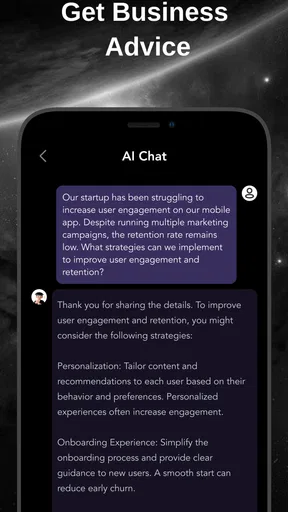
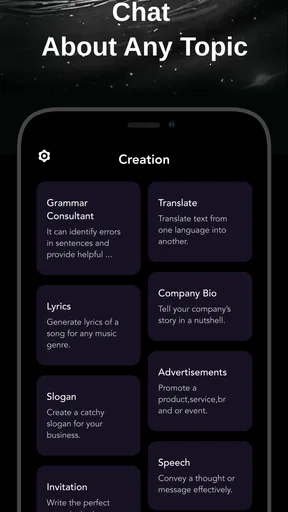
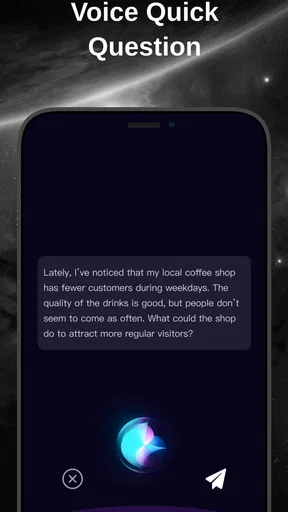
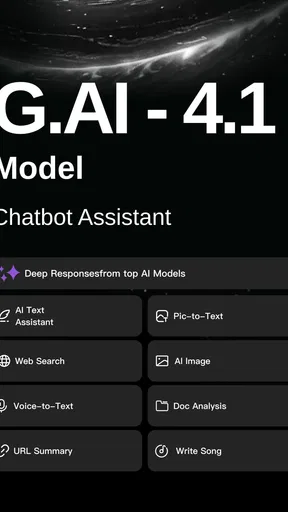
Our Review of AI Chat Assistant - Gain AI
 Analysis by Appyee
When I first open an AI chat app, I want to get something useful from it before I have to learn a new routine. G.AI - AI Chat & AI Chatbot is aimed at people who want to try several AI assistants from one place, rather than choosing a single chatbot and sticking with it. My first advice is to treat it as a place to compare answers and get a quick draft—not as an authority that should make decisions for you.
What to expect from a multi-assistant app
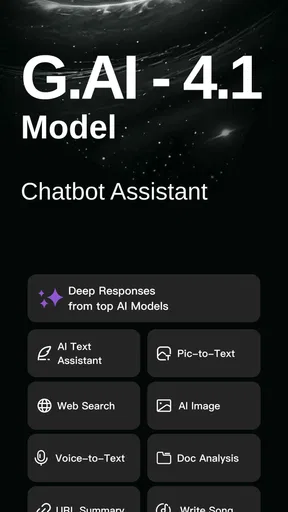
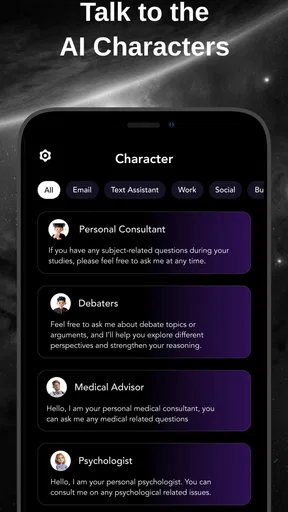
G.AI is a free productivity app from Chat AI Labs. Its central appeal is bringing access to several well-known AI options into one app, including Grok, Grok-4, ChatGPT, Gemini, Deepseek, and Claude. That makes it most useful when you are curious about different assistants or want to see how their responses differ without constantly switching between separate apps.
The trade-off is that a shared doorway does not make every assistant interchangeable. A reply can vary in tone, detail, or usefulness, and the best choice depends on the question. I would approach the app as a convenient way to explore, not assume that every model has identical capabilities or that one answer is automatically correct.
Getting to a useful first chat
After installing it, start with a small task that has a clear result. For example, paste a short email you need to write and ask for a polite, concise version. Then read the draft, check that it preserves your meaning, and adjust the prompt if the tone is off. This is a better first test than asking a broad question such as “What should I do with my life?” because you can quickly judge whether the answer helps.
Keep the first prompt specific: explain who the message is for, what you need to say, and whether you want it friendly or formal. If the result misses a detail, follow up with that correction rather than starting over. That small habit helps you learn how to steer a chatbot and makes the app more useful for practical work.
Where it can fit into an ordinary day
Imagine you have a busy morning: a message to answer, a few notes to organize, and a topic you need to understand before a meeting. You could ask for a first-pass email draft, request a short summary of your notes, and then ask a separate question about the unfamiliar topic. The important part is to review each result yourself, especially names, dates, claims, and anything you plan to send to someone else.
This kind of short, repeatable use is where I see the strongest case for G.AI. It can reduce the effort of getting started when you are staring at a blank page or trying to frame a question. It is less compelling if you already rely on one assistant and rarely have a reason to compare its output with another.
How I would compare answers
When a response matters, ask the same carefully worded question in more than one assistant and compare the parts that actually affect your decision: whether the answer addresses your constraints, whether it explains its reasoning, and whether it admits uncertainty. A longer reply is not necessarily a better one. I would use a second response as a prompt to investigate further, not as proof that the first answer was wrong or the second was right.
For everyday writing, brainstorming, or simplifying a topic, a single assistant may be enough. Separate apps can make more sense if you already know which service suits you, prefer its own interface, or need a particular workflow that a general chat hub does not provide. G.AI’s advantage is convenience for trying options; that convenience is not a substitute for checking important information.
Limits worth keeping in mind
AI can misunderstand a request, produce confident-sounding errors, or leave out a constraint that seemed obvious to you. I would not rely on a chatbot for urgent, medical, legal, financial, or safety-critical decisions without checking trustworthy sources or consulting an appropriate professional. For personal or confidential material, be cautious about what you enter into any AI chat app and avoid sharing details you do not need to include.
There is also a practical cost question. The app is free to download, but it offers in-app purchases, with listed items ranging from $6.99 to $99.99. If you only want to test a few simple prompts, begin with the free experience and decide whether the app fits your habits before spending anything. Check the purchase details in the app before confirming, rather than assuming every assistant or use is included at no cost.
Getting Started with G.AI
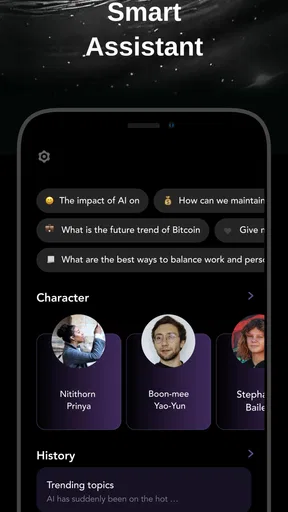
Jumping into the app was a breeze. The installation process is straightforward, and you can find it on both Android and iOS platforms. Once you open the app, you’re greeted with a clean and intuitive interface. It’s like the developers know exactly what we need—a fuss-free entry into the world of AI chatting.
The setup is minimal, which I appreciate. You’re not bogged down by a lengthy registration process. Just a few taps, and you’re ready to start chatting with your new AI buddy. I found this simplicity quite refreshing.
Features that Stand Out
Alright, let’s talk features. This app is packed with some pretty nifty functionalities. One of my favorites has to be the real-time language translation. It’s not just about chatting in one language; you can switch languages seamlessly, which is perfect if you’re practicing a new language or communicating with someone who speaks differently.
Then there’s the AI’s ability to learn from past interactions. The more you chat, the more personalized the responses become. It’s like having a friend who always remembers your preferences. Plus, the AI is surprisingly witty. I threw a few jokes at it, and it responded with some cheeky banter of its own.
Another highlight is the task management feature. You can set reminders, make lists, and even ask the AI for recommendations on various topics. Whether it’s finding a recipe or suggesting a good book, G.AI has got your back.
What It’s Like to Use
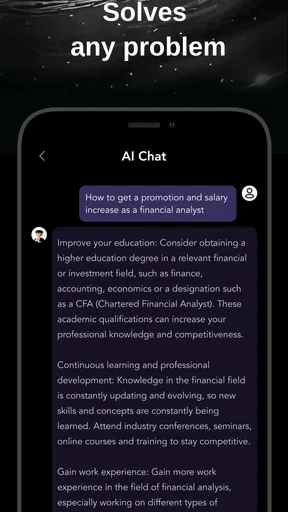
Using the app feels natural. There’s no awkwardness, just smooth, flowing conversations. I tested it in different scenarios—casual chatting, asking for advice, and even in a bit of an existential crisis (don’t we all have those?). The responses were always thoughtful and relevant.
One thing I noticed is the app’s responsiveness. There’s minimal lag time, which makes the experience much more immersive. It’s like the AI is genuinely engaged in the conversation, and I found myself enjoying the chat sessions more than I initially expected.
Behind the Scenes
The technology powering G.AI - AI Chat & AI Chatbot is impressive. The app uses advanced AI algorithms to understand and process natural language. This means it can grasp the context and nuances of our conversations, making it feel eerily human at times.
The developers have done a fantastic job in ensuring the app is not only functional but also secure. Privacy is a big deal in today’s digital age, and I was pleased to see the app’s commitment to protecting user data.
Who is likely to enjoy it?
G.AI is a sensible pick for a first-time user who wants a low-friction way to experiment with AI chats, as well as for someone who regularly shifts between brainstorming, drafting, and asking general questions. Its Teen content rating makes it an option for teen users, though I would still encourage younger users to treat generated answers critically and ask a trusted adult about high-stakes topics.
I would skip it if your main goal is a dedicated task manager, a specialized research tool, or a single assistant whose exact workflow you already know you prefer. A conversational app can help you make a list or sketch a plan, but that is not the same as a purpose-built system for tracking deadlines and projects. If you mainly need dependable reminders, use a calendar or task app you already trust and keep AI as an optional helper.
Small habits that improve the results
One useful trick is to state the format you want before the assistant answers: ask for a short checklist, a plain-language explanation, or a draft with a particular tone. Then give it the limits that matter, such as the intended audience or the time you have. This reduces the chance of receiving a polished answer that is still unsuitable for your actual situation.
For comparisons, keep the wording of your question consistent across assistants. If you change both the assistant and the prompt, it becomes hard to tell why one response is better. I also recommend asking for a counterargument when you are weighing options; that can expose assumptions worth checking, though it does not guarantee a balanced or complete answer.
If a conversation includes details you may want to reuse, keep your own notes outside the chat rather than relying on the assistant to remember them later. That is a practical safeguard for any chat-based workflow: it gives you control over the final version and avoids treating conversational continuity as a substitute for a record you manage yourself.
Choosing whether to keep using it
The app has an average rating of 4.0 from around 6,500 ratings, and it has been installed over 100,000 times. Those figures suggest that plenty of people have tried it, but they cannot tell you whether its particular mix of assistants and tools fits your routine. I would judge it by whether it saves effort on a task you actually do, not by popularity alone.
It was released on December 23, 2024, and version 2.7.0 is listed as the current version. It supports Android 8.0 and later. If you are deciding whether to install it, those details help you check basic compatibility; the more important question is whether you want a hub for exploring several AI chat options or would rather use one familiar assistant directly.
Final Thoughts
Is G.AI - AI Chat & AI Chatbot worth downloading? Absolutely. It’s more than just an app; it’s like having a companion that’s always ready to assist, entertain, and engage. Whether you’re looking for a productivity booster or just someone to chat with, this app delivers.
If you’re curious to try it out, I’d say go for it. It’s a free download, and who knows? You might just find yourself a new favorite app. Happy chatting!
Verdict
Strengths of AI Chat Assistant - Gain AI
- Intuitive and user-friendly interface.
- Wide range of topics for conversation.
- Real-time response generation.
- Supports multiple languages.
- Customizable chatbot settings.
Limitations of AI Chat Assistant - Gain AI
- Requires internet connection.
- Limited offline features.
- Subscription needed for premium.
- Occasional response delays.
- May struggle with complex queries.
Similar Picks in This Category
View All
Google Calendar
Google LLC4.6

Google Drive
Google LLC4.3

Google Assistant
Google LLC3.9

Microsoft OneDrive
Microsoft Corporation4.6

Samsung Calendar
Samsung Electronics Co., Ltd.4.1

Microsoft OneNote: Save Notes
Microsoft Corporation4.6
Frequently Asked Questions
What is G.AI - AI Chat & AI Chatbot used for?
G.AI - AI Chat & AI Chatbot is designed to provide users with an intelligent conversation partner. It uses advanced AI to understand and respond to a wide range of queries, making it ideal for getting information, learning new things, and engaging in casual conversation. It's perfect for users who want a smart, interactive experience.
How does G.AI ensure user privacy and data security?
G.AI prioritizes user privacy by implementing strong data encryption and privacy protocols. It does not store personal conversations on its servers, ensuring that user data is kept confidential. Users can enjoy interacting with the AI chatbot without worrying about privacy breaches or unauthorized data access.
What kind of features can I expect from G.AI?
G.AI offers a variety of features, including natural language processing for seamless conversations, multilingual support, and the ability to learn from interactions. It also provides personalized responses and can be used for entertainment, education, and productivity purposes, making it versatile for different user needs.
Is G.AI suitable for all age groups?
Yes, G.AI is designed to be user-friendly and suitable for all ages. The chatbot is equipped to handle queries from children to adults with appropriate responses. However, parental guidance is recommended for younger users to ensure the content remains suitable and educational.
Are there any costs associated with using G.AI?
G.AI offers both free and premium versions. The free version provides basic chatbot functionalities, while the premium version unlocks additional features such as enhanced customization options and priority support. Users can choose the version that best fits their needs and budget.
